WebP vs AVIF: Which Image Format Should You Use for Websites in 2026?
WebP and AVIF are modern image formats designed to deliver better compression than older formats such as JPEG and PNG.
Both can work well for websites. The choice depends on your content, browser compatibility requirements, encoding workflow, and how much complexity you want in your image pipeline.
Quick Decision Guide
- Want a broadly supported modern format? → WebP is a practical default.
- Want to test for additional compression savings? → AVIF is worth evaluating.
- Need transparency? → Both support it.
- Need animation? → Both support animated images.
- Need a compatibility fallback? → Use
<picture>with WebP/AVIF plus a JPEG or PNG fallback where appropriate. - Generating images at request time? → Benchmark encoding cost before making AVIF your only format.
MDN describes both WebP and AVIF as strong web-image choices. It also notes that AVIF generally offers better compression but that a fallback is still appropriate because AVIF does not have the same depth of historical browser support. MDN image format guide.
WebP vs AVIF at a Glance
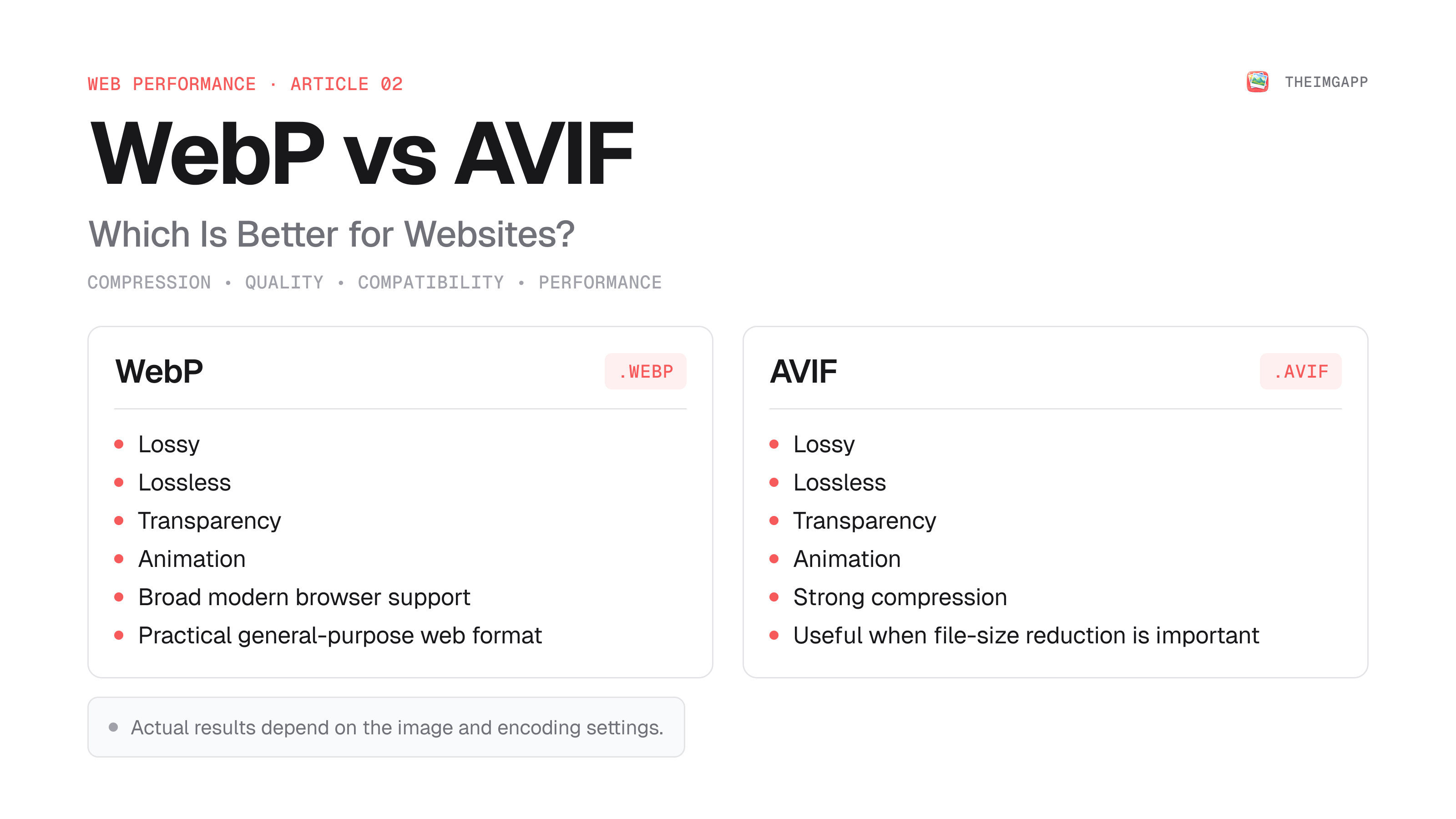
| Feature | WebP | AVIF |
|---|---|---|
| Lossy compression | Yes | Yes |
| Lossless compression | Yes | Yes |
| Transparency | Yes | Yes |
| Animation | Yes | Yes |
| Compression | Excellent | Often better than WebP |
| Encoding speed | Generally faster | Often slower |
| Browser support | Broad | Broad in modern browsers, but less historical depth |
| Fallback strategy | Useful for older clients | Recommended |
| Best fit | General web delivery | Compression-sensitive web delivery |
What Is WebP?
WebP is an image format originally developed by Google. It supports both lossy and lossless compression, transparency, and animation.
MDN reports that lossy WebP images are typically 25–35% smaller than JPEG images of visually similar compression levels, while lossless WebP images are typically about 26% smaller than equivalent PNG images. Those figures are averages, not guarantees for every image. MDN.
What Is AVIF?
AVIF is based on the AV1 image format and supports lossy and lossless compression, transparency, animation, and high color depths.
AVIF can produce very small files, especially when the image is encoded for web delivery. The trade-off is that encoding can be more computationally expensive and the format does not have the same historical compatibility depth as JPEG or WebP.
WebP vs AVIF Compression
There is no single percentage that every image will achieve.
Compression depends on:
- Original image
- Image dimensions
- Content type
- Quality setting
- Encoder implementation
- Chroma settings
- Whether metadata is preserved
A photograph, screenshot, logo, and illustration can produce very different results.
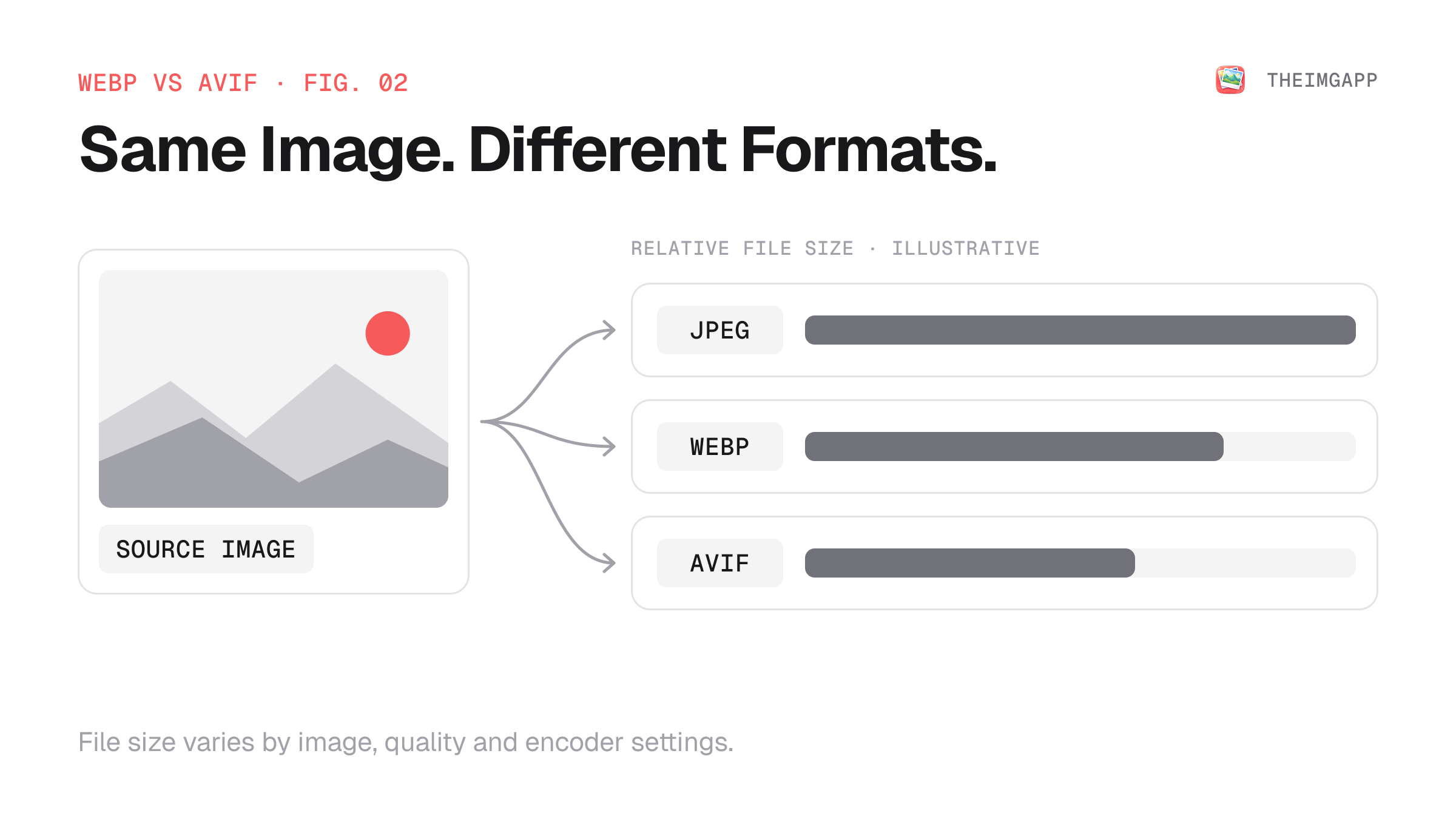
That is why theimgapp will eventually be more useful with real benchmark data from representative images instead of a single universal compression percentage.
Which Format Has Better Quality?
Both can provide excellent visual quality at relatively small file sizes.
Rather than choosing based only on the format name, compare the actual output at the size and quality level you need.
A good workflow is:
- Resize the source image to the required dimensions.
- Encode a WebP version.
- Encode an AVIF version.
- Compare file sizes.
- Inspect important details at 100% zoom.
- Pick the smallest file that still meets your visual quality requirement.
WebP vs AVIF for Photographs
For photographs, both formats are strong candidates.
AVIF can be especially attractive when reducing image transfer size is a major priority.
WebP can be simpler when you want a broadly supported modern format and a well-established image-processing pipeline.
WebP vs AVIF for Screenshots
Screenshots with text require more careful testing.
Very aggressive lossy compression can create artifacts around:
- Text
- UI borders
- Icons
- Thin lines
- Small typography
For these images, test lossless or higher-quality settings rather than assuming that the smallest file is the best file.
Transparency
Both WebP and AVIF support transparency.
That makes them more flexible than JPEG when you need alpha transparency.
For vector graphics such as logos and icons, however, SVG may still be the more appropriate format when the source is naturally vector-based.
Animation
WebP and AVIF both support animated images.
However, for long or complex animation, video can still be a better delivery format because video codecs are designed around temporal compression.
Browser Support and Fallbacks
Modern browsers support WebP and AVIF, but the practical compatibility history is different.
MDN lists current support for WebP and AVIF across the major browser families, while recommending fallbacks for AVIF because its support has less historical depth. MDN.
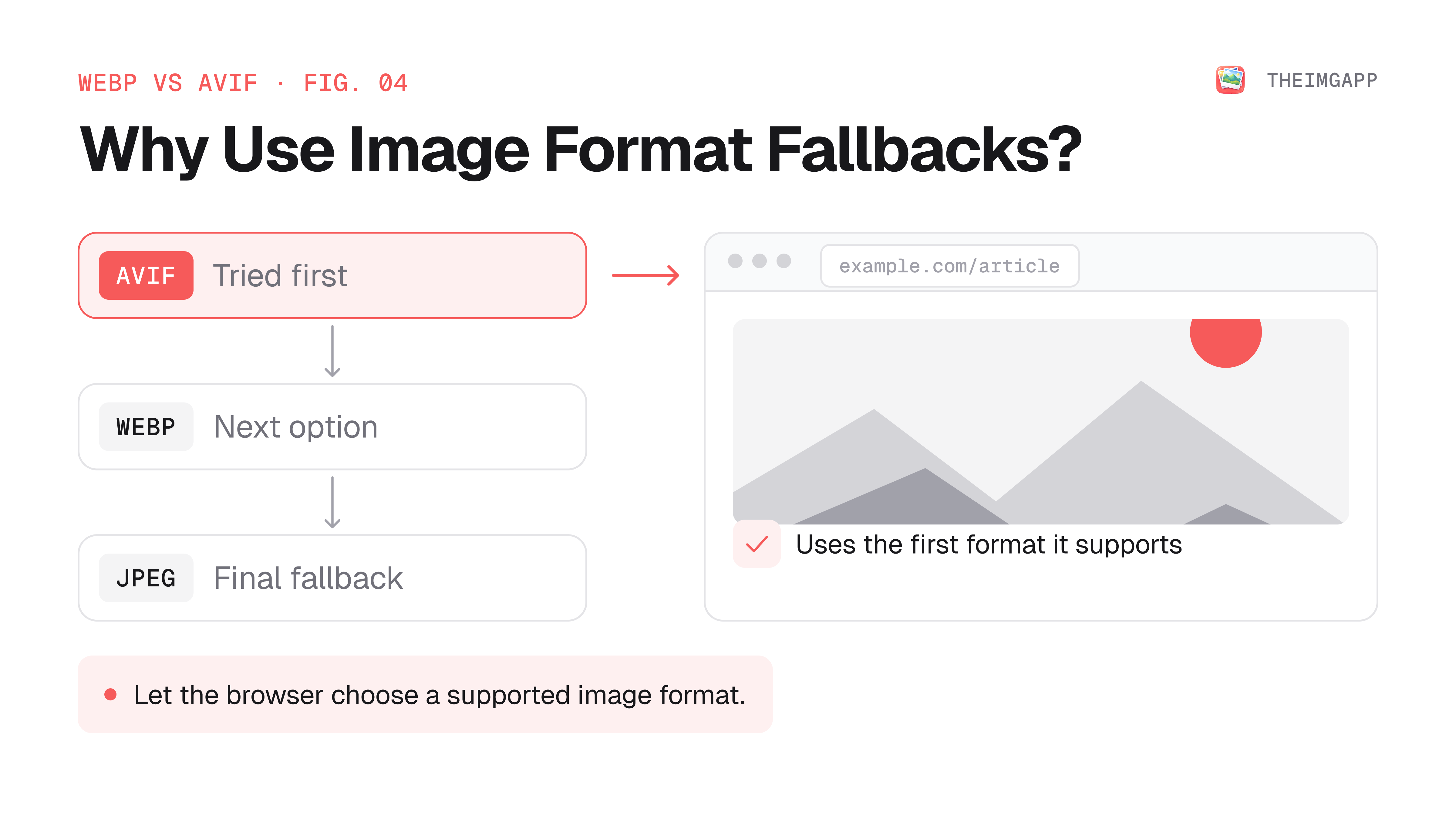
A common delivery pattern is:
<picture>
  <source srcset="image.avif" type="image/avif">
  <source srcset="image.webp" type="image/webp">
  <img
    src="image.jpg"
    alt="Description"
    width="1200"
    height="800"
  >
</picture>
The browser chooses the first supported source.
Should You Use WebP or AVIF?
Choose WebP when:
- You want a simple modern default
- You want broad current-browser support
- You want both lossy and lossless modes
- Your image pipeline prioritizes straightforward encoding and delivery
Choose AVIF when:
- File-size reduction is especially important
- Your audience is primarily on modern browsers
- You can provide fallbacks
- You have tested encoding performance
- You can generate and cache images ahead of time
A Practical Strategy for Websites
You do not have to choose one format for every asset.
A practical production strategy is:
Source image
    ↓
Resize to required dimensions
    ↓
Generate AVIF
    ↓
Generate WebP
    ↓
Keep JPEG/PNG fallback when needed
    ↓
Serve with <picture>
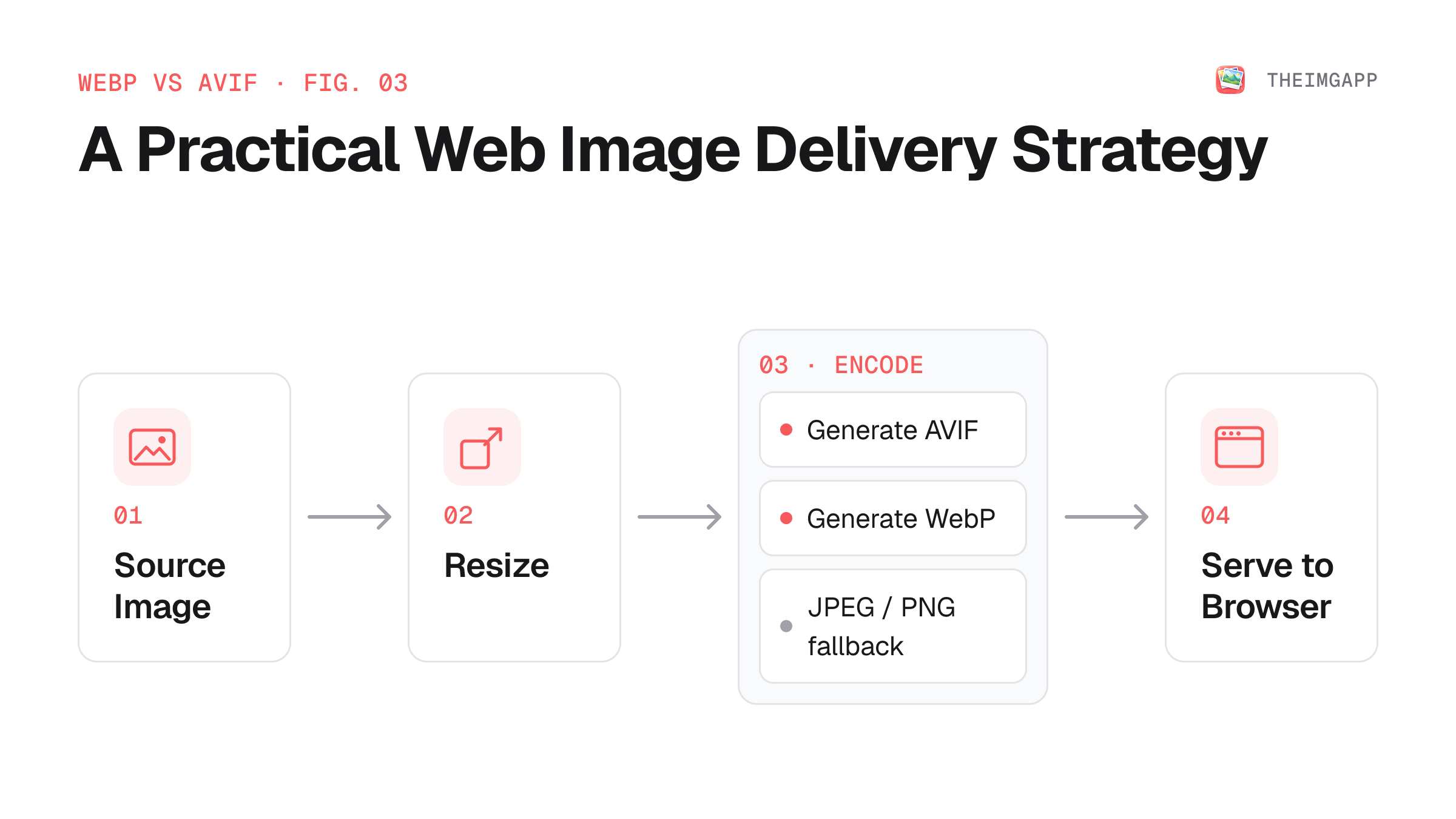
This gives you the opportunity to use AVIF where it provides a meaningful benefit while retaining a fallback path.
How to Convert WebP and AVIF
Use the theimgapp Format Converter to convert between supported image formats.
For batch workflows, resize the images first when the original dimensions are larger than the page actually needs.
How We Recommend Testing Formats
Instead of relying on a generic claim such as "AVIF is always 50% smaller," measure your own image set.
For an experiment, collect:
- 10 photographs
- 5 screenshots
- 5 illustrations
- 5 product images
For every source, record:
| Image | Original | WebP | AVIF | WebP Reduction | AVIF Reduction |
|---|---|---|---|---|---|
| Photo 1 | — | — | — | — | — |
| Photo 2 | — | — | — | — | — |
| Screenshot 1 | — | — | — | — | — |
| Illustration 1 | — | — | — | — | — |
Once theimgapp has collected these measurements, the results can be published as an original benchmark rather than a generic industry claim.
Common Mistakes
Choosing the smallest file without checking visual quality
A smaller file is not automatically a better result.
Removing fallbacks
Modern browser support is broad, but fallbacks make your delivery strategy more resilient.
Encoding AVIF on every request
For high-traffic sites, test whether pre-generated or cached assets are more appropriate than expensive real-time encoding.
Ignoring dimensions
Changing JPEG to WebP or AVIF does not fix an oversized source image. A 4000px-wide photo can still be unnecessarily large when displayed at 800px.
FAQ
Is AVIF better than WebP?
They have different trade-offs. AVIF often offers stronger compression, while WebP has broad support and a mature web delivery workflow.
Is WebP smaller than AVIF?
Not necessarily. AVIF often produces smaller files at comparable visual quality, but results vary by image and encoding settings.
Should I use AVIF for every image?
Not automatically. Test your content and delivery pipeline, and provide appropriate fallbacks.
Should WebP replace JPEG?
For many web images, WebP is a strong modern delivery option. JPEG remains useful as a fallback and for compatibility-sensitive workflows.